
TPU Flexible Filament Guide: Everything You Need to Know About 3D Printing with TPU
Flexible materials have opened up new possibilities in FDM 3D printing. Unlike traditional rigid filaments such as PLA, PETG, and ABS, TPU filament allows makers to create soft, elastic, and impact-resistant parts.
From phone cases and protective covers to seals, gaskets, and wearable accessories, TPU flexible filament is widely used when flexibility and durability are required.
However, TPU is also considered one of the more challenging 3D printing materials. Understanding its properties, printing requirements, and applications is essential for achieving successful results.
In this complete TPU flexible filament guide, we will explain what TPU is, its advantages, printing tips, common problems, and how it compares with other popular 3D printing materials.
What Is TPU Filament?
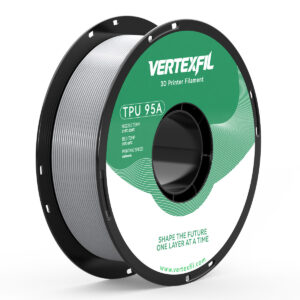

TPU (Thermoplastic Polyurethane) is a flexible thermoplastic material known for its elasticity, abrasion resistance, and durability.
Unlike rigid filaments, TPU can bend, stretch, and absorb impact without breaking. This makes it ideal for functional parts that require flexibility and toughness.
TPU filament is commonly classified by hardness level using the Shore hardness scale.
The most common TPU filament for 3D printing is:
- TPU 95A – flexible but relatively easy to print
- TPU 85A – softer and more elastic
- TPU 98A – firmer and easier to feed
For most desktop FDM printers, TPU 95A is the most popular choice because it offers a good balance between flexibility and printability.
Key Advantages of TPU Flexible Filament
1. Excellent Flexibility and Elasticity
The biggest advantage of TPU is its flexibility.
TPU parts can:
- Bend without cracking
- Absorb impacts
- Return to their original shape after deformation
This makes TPU ideal for products that experience repeated stress.
Examples:
- Phone cases
- Protective covers
- Flexible hinges
- Shock absorbers
2. High Impact Resistance
Compared with PLA, TPU provides much better impact resistance.
TPU can absorb energy instead of breaking, making it suitable for protective applications.
Common uses include:
- Drone protection parts
- Tool grips
- Mechanical dampers
- Industrial protective components
3. Excellent Wear Resistance
TPU has strong resistance against:
- Abrasion
- Friction
- Daily wear
This makes TPU suitable for parts that experience constant contact or movement.
Examples:
- Wheels
- Feet pads
- Rollers
- Seals
4. Chemical and Environmental Resistance
TPU offers good resistance to:
- Oils
- Grease
- Moisture
- Many common chemicals
This makes it useful for both consumer and industrial applications.
TPU Printing Requirements
Although TPU offers unique advantages, it requires different printing settings compared with PLA or PETG.
1. Use a Direct Drive Extruder (Recommended)
TPU is flexible, which means it can compress or bend inside a Bowden tube system.
A direct drive extruder provides:
- Shorter filament path
- Better feeding control
- More reliable extrusion
Many modern direct-drive printers can print TPU successfully.
2. Print at a Lower Speed
TPU should generally be printed slower than rigid filaments.
Recommended printing speed:
- TPU: 20–50 mm/s
- PLA: 50–100+ mm/s
Printing too fast may cause:
- Under-extrusion
- Filament slipping
- Uneven layers
3. Proper Temperature Settings
Typical TPU printing settings:
| Setting | Recommended Range |
|---|---|
| Nozzle Temperature | 210–240°C |
| Bed Temperature | 40–60°C |
| Printing Speed | 20–50 mm/s |
Exact settings depend on the printer, nozzle, and TPU hardness.
4. Keep TPU Dry
TPU is hygroscopic, meaning it can absorb moisture from the air.
Wet TPU may cause:
- Popping sounds during printing
- Stringing
- Poor surface quality
- Weak layer bonding
Proper storage is important:
✅ Use sealed bags
✅ Store with desiccant
✅ Dry filament before printing if necessary
TPU vs PLA: Which Filament Should You Choose?
| Feature | TPU | PLA |
|---|---|---|
| Flexibility | Excellent | Low |
| Strength | High | Medium |
| Ease of Printing | Medium | Excellent |
| Impact Resistance | Excellent | Good |
| Surface Finish | Good | Excellent |
| Beginner Friendly | Medium | Excellent |
Choose TPU when you need:
- Flexibility
- Shock absorption
- Elastic parts
Choose PLA when you need:
- Easy printing
- Decorative models
- Sharp details
TPU vs PETG: Which Is Better?
| Feature | TPU | PETG |
|---|---|---|
| Flexibility | Excellent | Medium |
| Rigidity | Low | High |
| Impact Resistance | Excellent | Very Good |
| Printing Difficulty | Higher | Medium |
| Functional Parts | Flexible parts | Rigid parts |
TPU and PETG are both durable materials but serve different purposes.
Choose TPU for:
- Flexible components
- Protective parts
- Wearable items
Choose PETG for:
- Strong rigid parts
- Mechanical components
- Outdoor applications
Common TPU Printing Problems and Solutions
Problem 1: Stringing
Causes:
- Printing temperature too high
- Wet filament
- Incorrect retraction settings
Solutions:
- Reduce nozzle temperature
- Dry TPU filament
- Adjust retraction carefully
Problem 2: Under-Extrusion
Causes:
- Printing too fast
- Filament slipping
- Poor feeding path
Solutions:
- Reduce printing speed
- Check extruder tension
- Use direct drive extrusion
Problem 3: TPU Sticking to Nozzle
Causes:
- Excessive temperature
- Incorrect flow settings
Solutions:
- Adjust temperature
- Calibrate extrusion settings
Best Applications for TPU Filament


TPU is widely used in:
Consumer Products
- Phone cases
- Watch straps
- Earbud covers
- Keychains
Mechanical Applications
- Seals
- Gaskets
- Dampers
- Protective covers
Hobby Projects
- RC car tires
- Drone parts
- Flexible toys
- Wearable accessories
Industrial Applications
- Custom grips
- Anti-slip components
- Vibration isolation parts
Is TPU Filament Beginner Friendly?
TPU is not usually recommended as the first filament for beginners.
A better learning path is:
- PLA → Learn basic printing
- PETG → Learn functional printing
- TPU → Explore flexible applications
However, with a suitable printer and correct settings, many users can successfully print TPU.
How to Choose the Right TPU Filament?
When selecting TPU filament, consider:
Hardness
- Softer TPU → More flexible
- Harder TPU → Easier printing
TPU 95A is a popular balance between flexibility and usability.
Printing Compatibility
Check:
- Extruder type
- Recommended temperature
- Printer capability
Quality Control
High-quality TPU filament should provide:
- Consistent diameter
- Stable extrusion
- Good layer adhesion
- Low moisture content
Final Thoughts: Is TPU the Right Filament for You?
TPU flexible filament is one of the most versatile materials in 3D printing. Its flexibility, durability, and impact resistance make it ideal for applications where traditional rigid filaments cannot perform.
While TPU requires more careful printing settings than PLA or PETG, the results are worth the extra effort.
If your project requires flexibility, elasticity, and toughness, TPU is one of the best choices for FDM 3D printing.
FAQ About TPU Filament
Can TPU be printed on any 3D printer?
Not all printers are optimized for TPU. Direct-drive extruders usually provide better results.
Is TPU stronger than PLA?
TPU is more impact-resistant and flexible, while PLA is more rigid and easier to print.
What is TPU 95A?
TPU 95A is a common flexible filament hardness level that provides a good balance between flexibility and printing performance.
Does TPU need a heated bed?
A heated bed is recommended but TPU can sometimes print successfully without one depending on the printer and surface.
How should TPU filament be stored?
TPU should be stored in a sealed container with desiccant to prevent moisture absorption.